From studies to sales. Manage your developments and companies.
Assess feasibility, follow prospects and sales, and manage stores and site depots. Pipelar connects these activities to each development’s budget, schedule and cash flow.
Pipelar organizes project information around that decision, from the plan to actual results.
01
Where are we now?
See spending, commitments and physical progress together.
02
Where should we be?
Compare actual results with the baseline budget and planned schedule.
03
What needs a decision?
Use gaps and alerts to guide decisions before the next meeting.
A sample scenario
A schedule warning becomes a clear decision point.
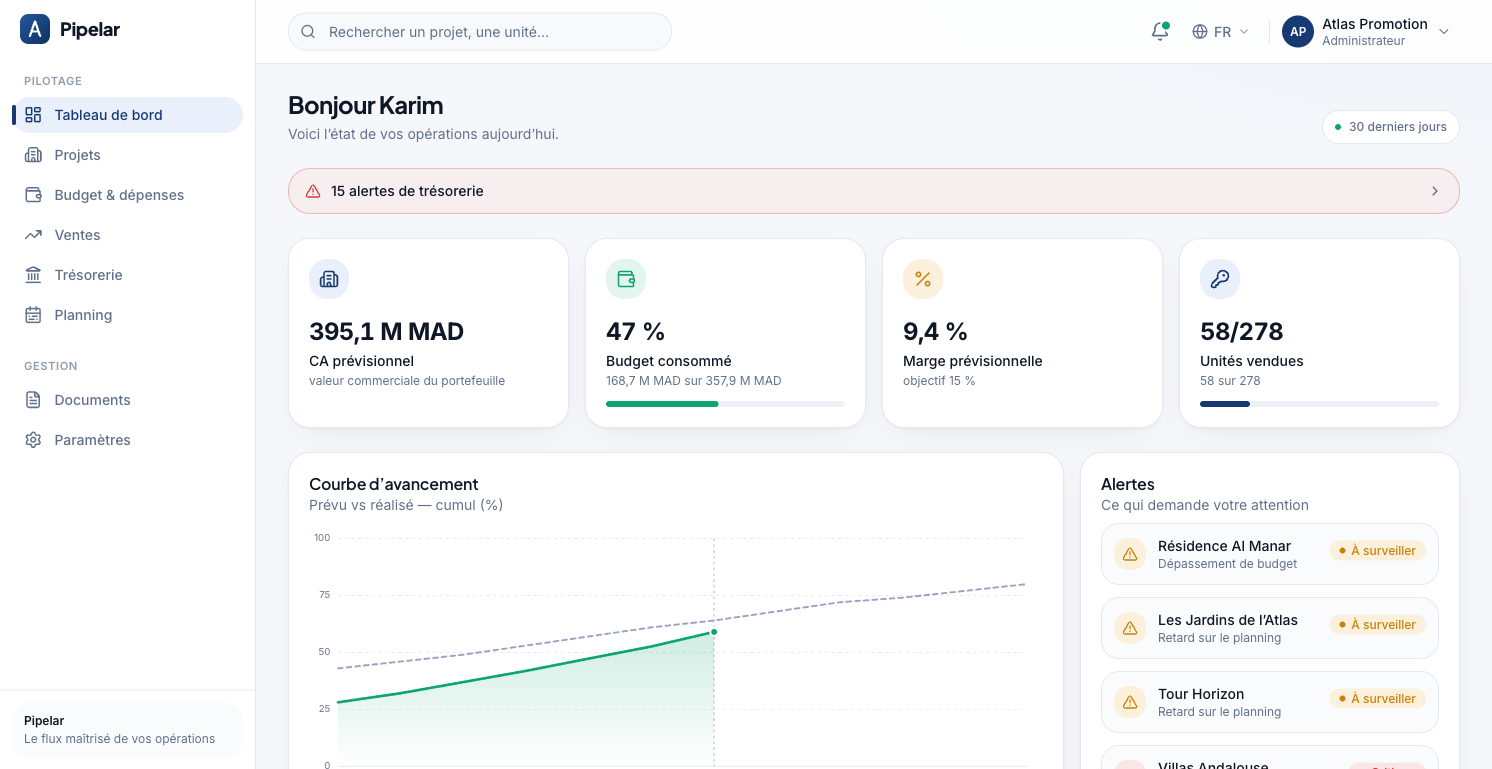
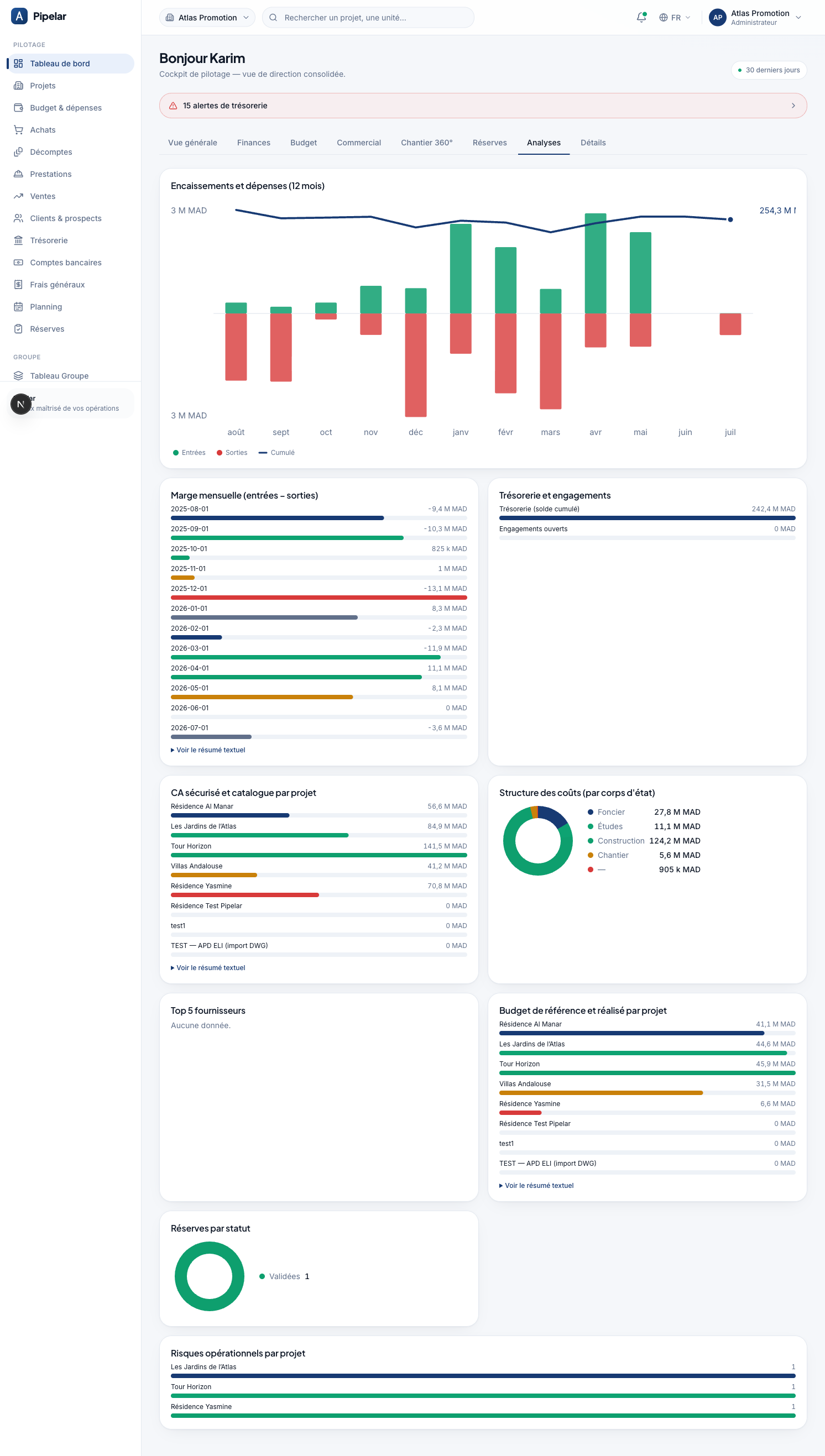
In the demo data, Les Jardins de l’Atlas shows a schedule delay. The team starts with that alert, compares planned and actual progress, then reviews financial indicators before deciding what to do next.
Spot the project that needs your attention.
Compare progress, budget and cash flows.
Decide using a shared view for authorized team members.
French Analytics view with fictional data. Enlarge
One connected project workflow
One journey, from studies to project oversight.
Your teams follow each stage of the development in one tool.
01
Assess
Estimate the development, compare scenarios and convert an approved study into a project.
02
Execute
Track budgets, purchasing, deliveries, stock and site progress.
03
Sell
Follow prospects, reservations, sales and payment collection.
04
Oversee
Review gaps and cash flow by project, by company or across the group.
Construction and sales progress in parallel, with shared visibility for leadership.
Built for your group’s organization
Multiple companies. Controlled access.
Each company retains its own projects and data. Teams access authorized companies with permissions suited to their work. Leadership can review group budgets, sales and cash flow within its access rights.
Separate company workspaces Group views within your access rights Roles and permissions by module
Frequently asked questions
What to expect from Pipelar.
Who is Pipelar for?
Real estate developers and their teams who want to track costs, timelines and execution across several projects in one place.
Can we manage multiple companies and projects?
Yes. Switch between companies you can access, track their projects and review group budgets, sales and cash flow. Access remains defined by company and role.
Does Pipelar include a property CRM?
Yes. The CRM brings together contacts, prospects, unit interests and interaction history. Sales tracking covers reservations, sales, payment schedules, receipts and client follow-ups.
Can we track central depots and construction site stores?
Yes. Track articles and stock by depot, either central or linked to a site, including deliveries, issue notes, returns and transfers between depots.
What can we do with a feasibility study?
Estimate land costs, costs and projected sales, compare scenarios and record a Go / No-Go decision. An approved study can then be converted into a project.
What does the demo show?
A walkthrough using fictional data, tailored to your needs: feasibility, CRM, stores and site depots, budgets, purchasing, cash flow or multiple companies.
Discover Pipelar
Let’s explore how your teams work.
Tell us about your organization and what you need. We will prepare a demonstration with fictional data, focused on the decisions you make each week.